New Bring your forScore library, markings and all See how

Find letter B before the conductor counts in.

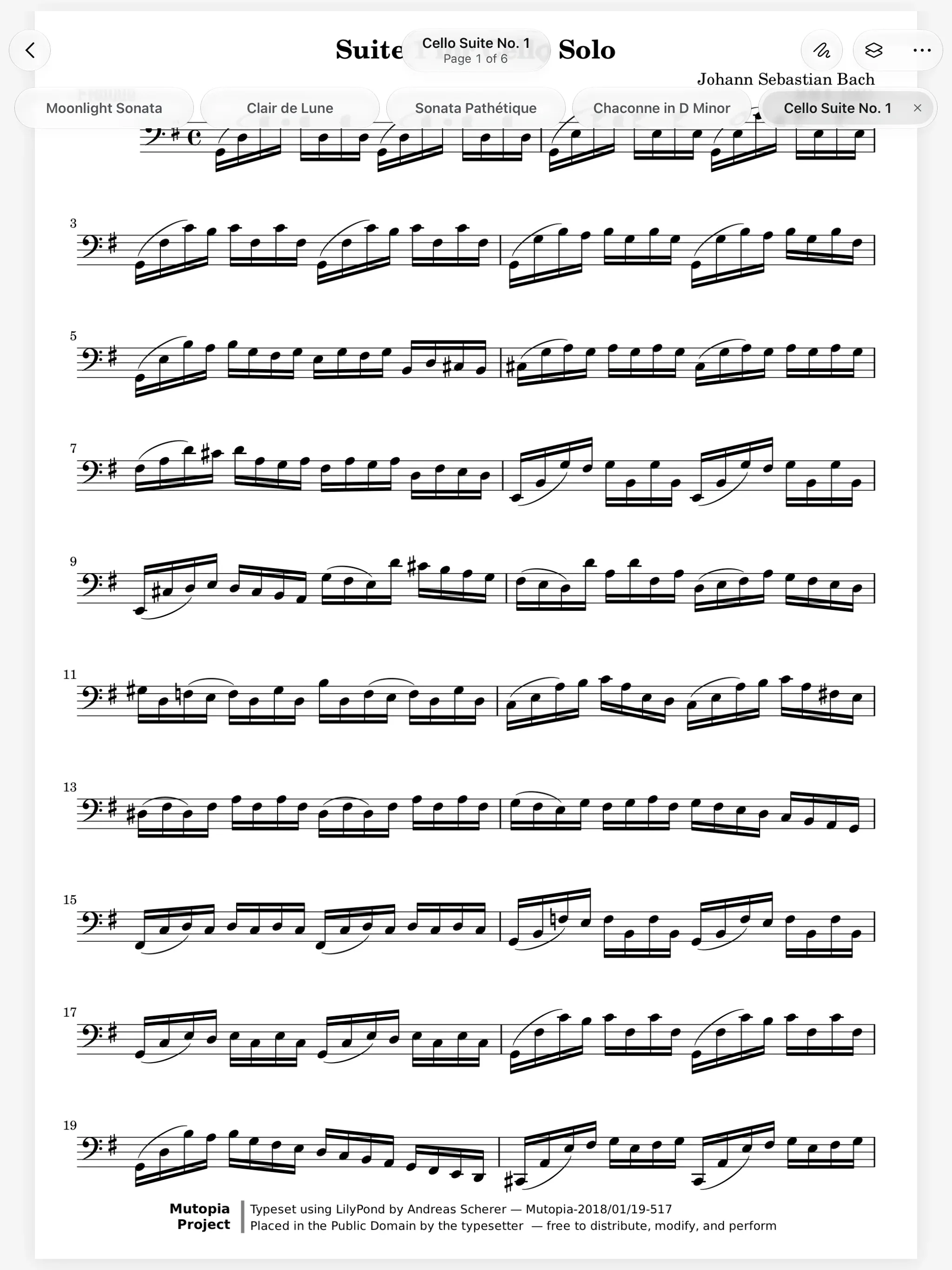
Keep the concerto, the full score and an etude open as tabs. Name the rehearsal letters with bookmarks, and flag the bars you want to ask about.

A ring binder with index tabs. It opens at each rehearsal letter in turn.
Letter C

How it works.

Every open score gets a tab.

In a lesson you jump between the etude, the concerto and the scales. Each score you open gets a tab under the toolbar, and your tabs are still there the next time you open the reader. Open a score twice and you land on its tab.

  • Up to 12 tabs, kept
  • Command W closes, Control Tab switches
  • Tabs stay while you write
A score open in the Marcato reader with its toolbar showing

Name a place, flag a bar. The conductor says "from letter B" and the section scrambles. A bookmark names a place like Letter B or Trio and shows in Contents. Touch and hold the page and an orange flag stands on that bar, where only you see it.

  • One named bookmark per page
  • As many flags as you need
  • Flags only you can see

Any page from one sheet. A 300-page collection is a long way to swipe. In the Pages sheet, All shows every page and Contents lists the score's contents with your bookmarks in order. Flags shows only the pages you flagged.

And all the little things.

  • Go to Page

    Type a page number from the More menu and land there at once.

  • Setlists in a tab

    A setlist plays in its own tab, each piece heading its own contents.

  • Edit in place

    Touch and hold a page in the Pages sheet to add, rename or remove a bookmark.

  • Remove a flag

    Tap a flag to take it off the page.

  • Synced

    Bookmarks and flags follow you to your other devices, with undo.

  • From forScore

    Moving your forScore library brings its bookmarks and flags along.

Tabs and Bookmarks questions.

What is the difference between a bookmark and a flag?

A bookmark names a place in the music and appears in Contents. A flag marks one spot on a page, has no name, and only you see it.

How many tabs can I keep open?

Up to 12. They stay between openings of the reader, so your stand is set up the way you left it.

How do I add a flag?

While reading, touch and hold the page with your finger where you want it. An orange flag appears on that spot.

Goes well with.

Reader. A clean page that turns the moment you ask.

An orchestral music stand. The desk tilts and rises.
desk 18°

Page Turning. Turn by tap, swipe, pedal or keyboard.

A page-turn pedal under an iPad. The pedals turn the page half by half.
page 4 · lower half

Setlists. Plays a concert straight through, in order.

A setlist played on iPad. Each new score lands on the screen after the last page of the one before.
Piece 1 of 4

Put your first score on the shelf.

Open a PDF, move your forScore library or scan the score on your stand. You don't need an account to start.

For iPad and iPhone with iPadOS 26 or iOS 26.