New Bring your forScore library, markings and all See how

Scan the new score during the break.

Your library, setlists and markings come along on iPhone. The Scan tab turns paper into a score before the conductor is back.

An iPhone in a music bag's front pocket. The iPhone lifts out of the pocket.
in the pocket

How it works.

The camera is one of your tabs.

The conductor hands out a new score at rehearsal. Point the Scan tab at it and Marcato straightens the page, reads the title, files it in your library and opens it.

  • Scan from the tab bar
  • Title read from the first page
  • Waiting on your iPad
A scanned page of sheet music, straightened and cropped

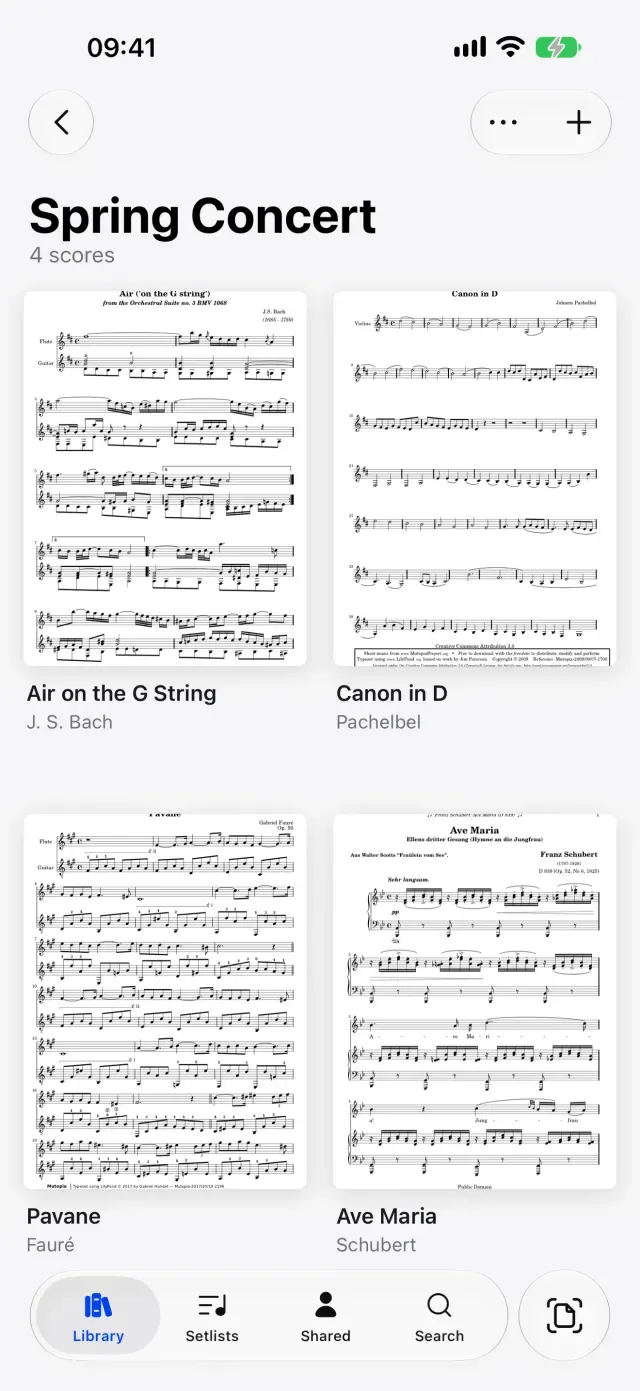
Every folder and setlist, offline. On the train you have your phone, not your iPad. The shelf, folders, setlists and search work on iPhone as they do on iPad, with your covers and markings, and no connection needed.

  • Folders and setlists
  • Search by title, composer or part
  • Offline, like on iPad
A folder of scores in Marcato on iPhone

Zoom in on a fingering and it stays sharp. On a small screen you zoom more. Apps that save markings as pictures blur when you do; Marcato keeps every stroke as ink, so it stays sharp at 8×. Every tool, color and layer is in the toolbar.

A loupe on an arm. The loupe moves over the page.
8×

And all the little things.

  • One app

    Marcato is one app that runs on both iPad and iPhone, with one library.

  • Photos too

    Turn photos you already took into one score, in the order you pick them.

  • Add pages later

    Scan more pages onto the end of a score from its menu with Add Pages.

  • Synced

    Everything you scan or write on iPhone appears on your iPad, and back.

  • Ink with a finger

    On iPhone, every pen, layer and color works with your finger.

  • Metronome and tuner

    Both are in the reader's More menu on iPhone.

Marcato on iPhone questions.

Is the iPhone app the same as the iPad app?

Yes. It is one app with the same library, setlists, ink and layers. The iPhone puts scanning first, and the iPad is the stand.

Can I write on scores on my iPhone?

Yes. Every pen, layer and color works on iPhone, with your finger.

Do I need to sign in to see my iPad scores on my iPhone?

Yes. Sign in the same way on both, with Apple or with your email, and your library appears on each.

Goes well with.

Scan Sheet Music. Turns paper sheet music into a score you can mark.

An iPhone scanning a page of music. Each page is scanned and cleaned.
page 1 of 3

Sync. Every score and marking on iPad and iPhone.

An iPad and an iPhone side by side. Ink on the iPad syncs to the iPhone.
synced

Library. Folders, tags and the scores shared with you.

A music library cabinet. Each concert folder slides out in turn.
Spring Concert

Put your first score on the shelf.

Open a PDF, move your forScore library or scan the score on your stand. You don't need an account to start.

For iPad and iPhone with iPadOS 26 or iOS 26.