New Bring your forScore library, markings and all See how

Bring a folder of PDFs in with its subfolders.

The director emails a score, your library lives in iCloud Drive, forScore holds years of markings. Each comes into Marcato in one step.

PDF pages filing into a folder. Pages glide into the folder.
411 scores

How it works.

Send a score to Marcato from any app.

Scores arrive by email, AirDrop and download links. In Safari, Files, Mail or Photos, tap Share and choose Marcato, and the score is on your shelf. Import PDF in the + menu and drag and drop work too.

  • Import PDF from the + menu
  • Marcato in the share sheet
  • Drag and drop from other apps
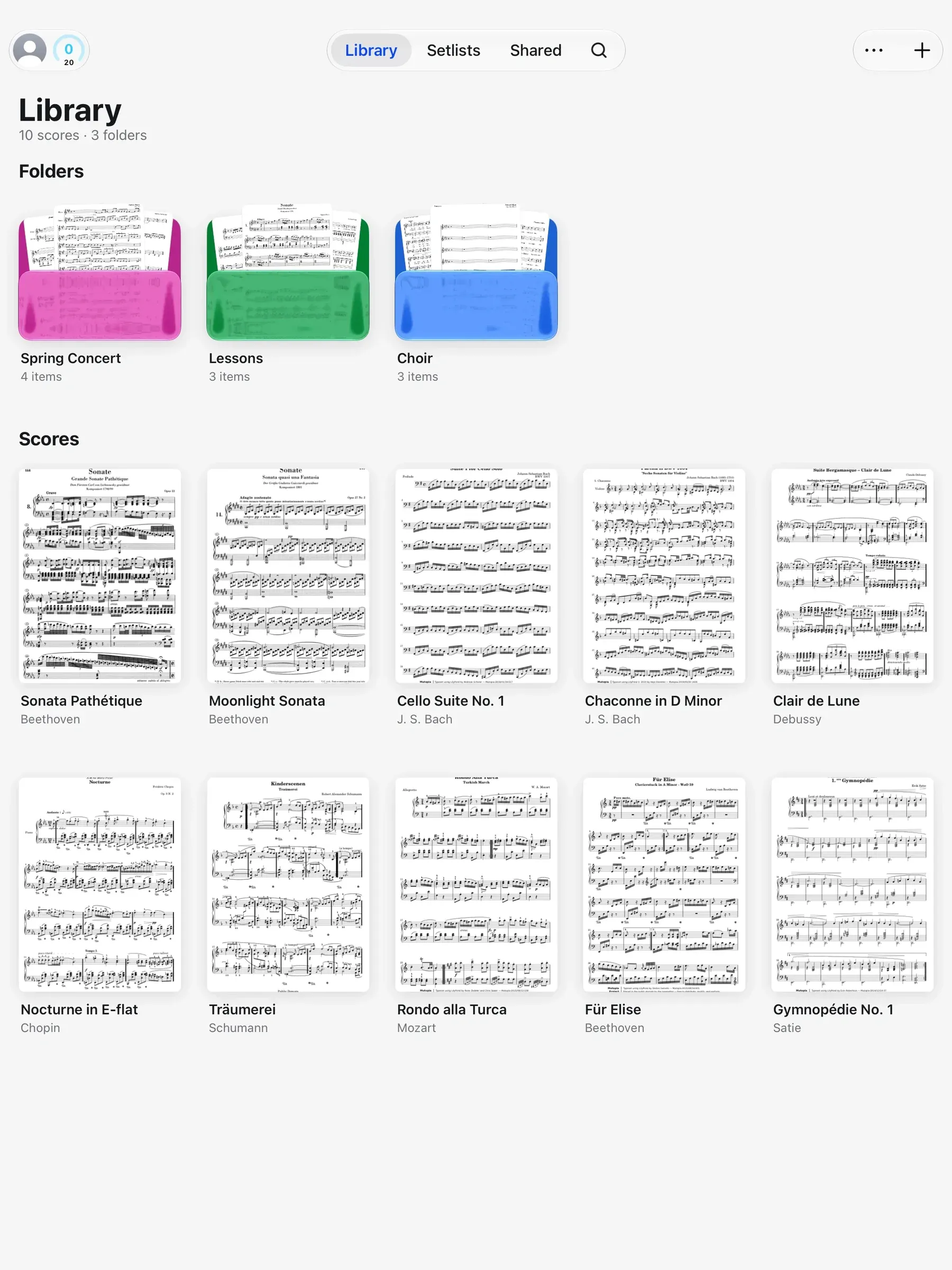
The Marcato library on iPad: score covers on a shelf, with folders and setlists

Your forScore library, markings included.

Switching apps usually means leaving your markings behind. Marcato walks you through Create Archive in forScore, then brings in scores, tags, setlists, bookmarks, flags and markings in minutes. The markings arrive on their own layer.

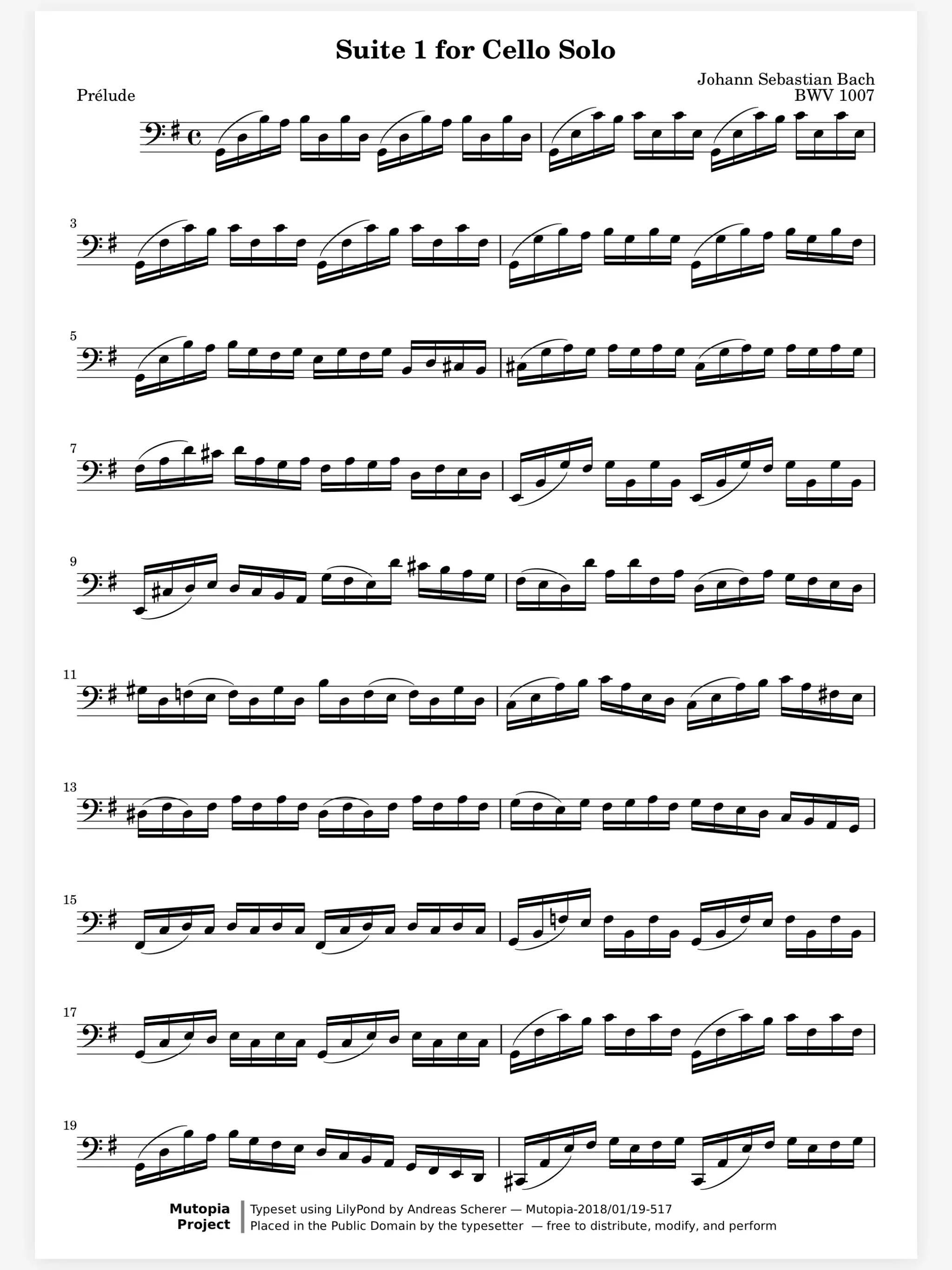
A cello score marked with fingerings, bowings, dynamics and note names in color

Your folders come over as folders.

Years of PDFs sit in folders in iCloud Drive, Dropbox or on a USB drive. Move Your Library takes every PDF in one, with its subfolders kept as folders, and the whole import undoes in one step.

  • Subfolders kept as folders
  • Hundreds of PDFs in one go
  • One step to undo
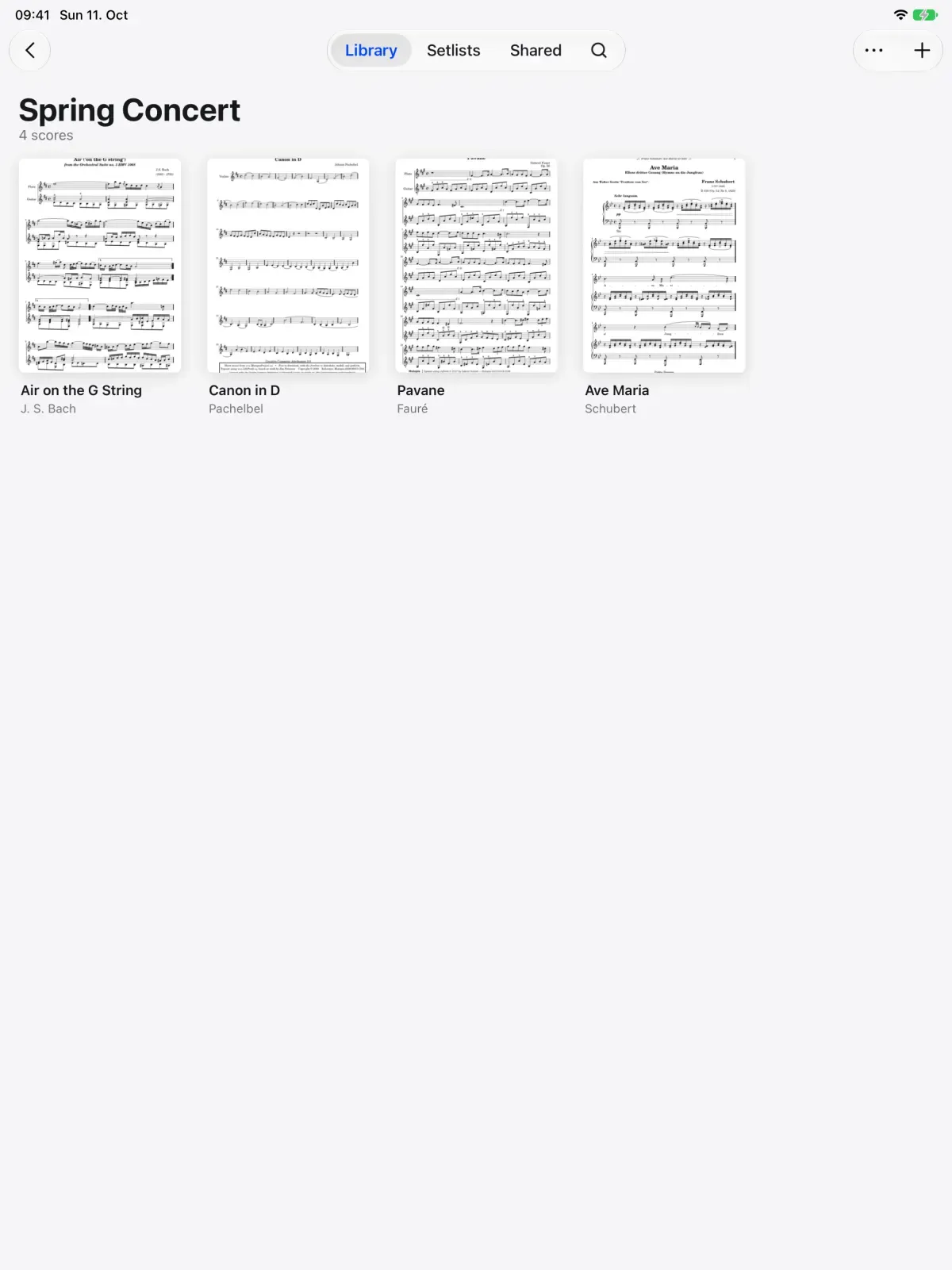
A Spring Concert folder in Marcato with its scores

And all the little things.

  • Survives anything

    An import cut short by a crash or a dead battery finishes the next time you open Marcato.

  • Big files

    A PDF with thousands of pages imports and opens like any other score.

  • Names fixed

    File names mangled by old zip files are repaired on the way in.

  • Straight to a folder

    Import from a folder's + menu and the score lands in that folder.

  • Photos and scans

    A photo or a scan becomes a PDF score in your library.

  • Synced

    Every PDF you import reaches your other devices, with its cover arriving first.

Import PDFs questions.

Which files can I import?

PDFs, photos and forScore archives. A photo or a scan becomes a PDF score in your library.

Can I import a whole folder of PDFs at once?

Yes. In Settings, open Move Your Library and choose A Folder of PDFs. Its subfolders come in as folders.

Will my forScore markings come with me?

Yes. They arrive on a From forScore layer, so you can see them, hide them, and write your own markings on top.

Can I import from cloud storage?

Yes, from any place the Files app can open, like iCloud Drive. Choose Import PDF and pick the file there.

Goes well with.

Scan Sheet Music. Turns paper sheet music into a score you can mark.

An iPhone scanning a page of music. Each page is scanned and cleaned.
page 1 of 3

Library. Folders, tags and the scores shared with you.

A music library cabinet. Each concert folder slides out in turn.
Spring Concert

Staff Paper. Blank manuscript paper to write music on.

Staves drawing onto blank manuscript paper. Each staff rules across the sheet.
staff 4

Put your first score on the shelf.

Open a PDF, move your forScore library or scan the score on your stand. You don't need an account to start.

For iPad and iPhone with iPadOS 26 or iOS 26.